Mechanical Keyboards for People Who Type All Day
Switch types, board sizes and keycap materials explained, so you can pick a mechanical keyboard that suits long typing days and a shared office.
Our pick Keychron K-series wireless mechanical keyboard
It offers swappable switch options, Mac and Windows layouts and a compact build at a sensible price.
We may earn a commission if you buy through links in this guide. How we make money
A good keyboard will not fix a bad desk setup, but it can make typing quieter, more accurate and more pleasant. If you write, code or answer email for hours, a mechanical keyboard is a reasonable upgrade. The choice comes down to three things: the switch, the size and the noise.
Start with the switch type. It controls how a key feels more than anything else on the board.
Switch types in plain terms
Each key sits on a small mechanical switch. Brands name these by color, and the colors mean roughly the same thing across makers.
- Linear (red, black). Smooth down and up, no bump. Quiet, popular with gamers and some typists.
- Tactile (brown). A small bump in the middle of the press that tells you the key registered. Often the safest first choice for writing.
- Clicky (blue). A bump and an audible click. Satisfying to some, grating to coworkers.
Many boards sell with "hot-swappable" sockets, so you can change switches later without soldering. That takes some of the risk out of the first purchase.
Pick a size
Keyboards are sold in layouts named by how much of the standard board they keep.
| Layout | What you get | Best for |
|---|---|---|
| Full size | Letters, arrows and a number pad | Spreadsheets, data entry |
| Tenkeyless (TKL) | No number pad | More mouse room, most typists |
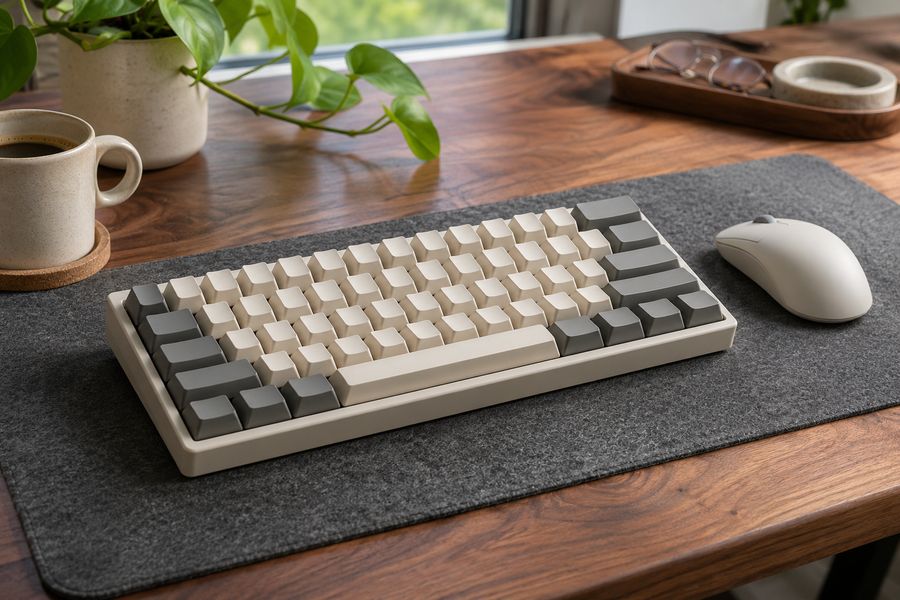
| 75% and 65% | Compact with arrow keys | Small desks, portability |
| 60% | Letters only, extras on layers | Minimal setups, travel |
If you type numbers all day, keep the number pad. Otherwise TKL or a 75% board frees up space and keeps your mouse arm closer to your body.
Models people name for all-day typing
Keychron's K-series and Q-series boards are common recommendations because they cover Mac and Windows and come in several sizes.
Logitech's MX Mechanical is a low-profile option with quiet tactile switches, which suits open offices.
Das Keyboard and Ducky make well-built boards with a more classic feel.
For a wired, no-frills board, Royal Kludge and similar brands sit in the budget range, though build quality varies from model to model.
Noise and typing comfort
Mechanical boards are louder than membrane ones. A few things reduce that: linear or silent switches, O-rings under the keycaps, a desk mat, and a case with foam inside. If you share space, ask coworkers before buying clicky switches.
For comfort, a low profile and a wrist rest help some people. A board that sits flat or tilts slightly is easier on the wrists than one that tilts steeply. Persistent pain in your hands or wrists is worth mentioning to a doctor; no keyboard treats that.
Pair the board with a good desk setup. If you take video calls from the same spot, our guide to better video calls has simple fixes for your camera and lighting.
Wired or wireless
Wireless boards connect by Bluetooth or a small USB receiver. They keep your desk tidy and can pair with a laptop and a phone. Battery life varies; many last weeks between charges with the backlight off. Wired boards need no charging and have the lowest lag, which suits gaming.
Setting up your desk
A keyboard works best when the desk around it is right. Keep your elbows near 90 degrees and your wrists straight rather than bent up. The keyboard should sit directly in front of you, with the mouse at the same height. A desk mat under the board adds grip and softens the sound of each press.
If you switch between a laptop and a desktop, a wireless board with multi-device pairing saves cables. Take a short break every hour; stretching your hands and shoulders does more for comfort than any switch.
Quick answers
Are mechanical keyboards worth it for office work?
If you type a lot, many people find them more precise and more comfortable. Pick tactile or quiet linear switches for a shared space.
What are keycaps made of?
Most are ABS or PBT plastic. PBT feels slightly textured and resists shine over time, so it is a common upgrade.
Can I use a Mac keyboard layout on a Windows board?
Many boards ship with both sets of keycaps and a switch on the back to change modes.
The bottom line
For most all-day typists, a TKL or 75% board with tactile or quiet linear hot-swap switches is the safest bet. Pick the layout first, the switch second, and leave the colors for last.