Better Video Calls: Phone Tripods, Webcams and Small Lights
Look sharper on video without a studio. Light, camera height and a steady mount matter more than camera specs. Compare tripods, webcams and small lights.
Our pick Small dimmable LED panel light with a desk stand
Good light does more for a video call than any camera upgrade.
We may earn a commission if you buy through links in this guide. How we make money
Light matters first, camera height second, camera quality third. A cheap webcam in good light beats an expensive one in a dim room.
So the order of spending is simple: a small dimmable light, a way to put the camera at eye level, and only then a better camera, if your laptop's is poor.
Step 1: Fix the light
Face a window if you can, so light falls on your face. Avoid sitting with a window behind you, which turns you into a silhouette.
When daylight is not an option, a small LED panel is the cheapest fix. Look for:
- Dimmable brightness so you can match the room.
- Adjustable color temperature, warm to cool, to blend with your room lights.
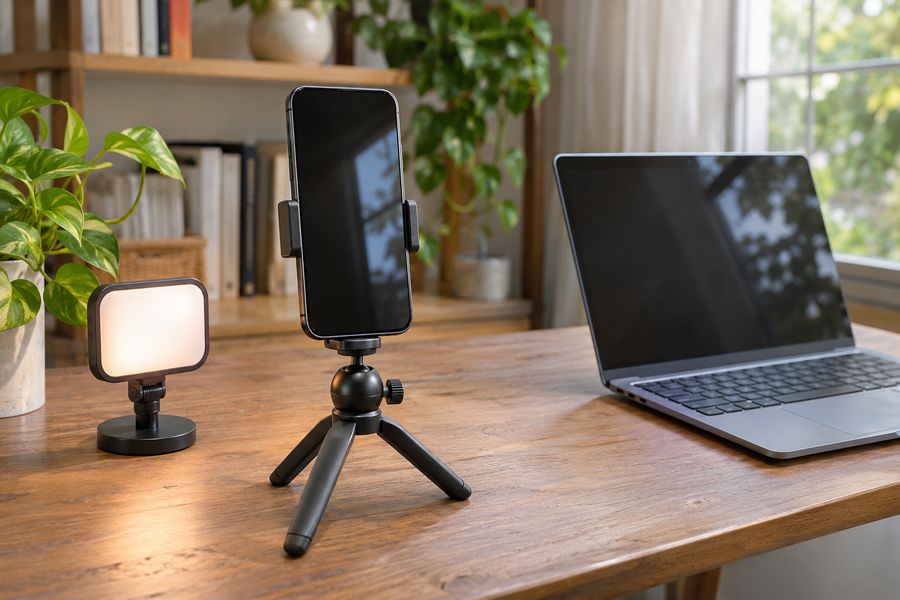
- A desk stand or clamp that places the light slightly above eye level and a little to one side.
- A diffuser or frosted panel. Bare LEDs look harsh.
Lines to look at include Elgato Key Light Air, Neewer panels and Logitech Litra. A small ring light also works, though it can show as a circle in glasses.
Step 2: Put the camera at eye level
A laptop on a desk looks up your chin. Raise it on books or a stand until the camera is about at eye level, and use an external keyboard if needed. A phone on a small tripod with a flexible neck or a tabletop stand does the same job.
Step 3: Pick the camera
| Option | Image quality | Setup | Good for |
|---|---|---|---|
| Built-in laptop camera | Often soft in low light | None | Quick calls in good daylight |
| 1080p webcam | Clear, steady | Plug in USB, clip on monitor | Daily meetings |
| 4K or wide-angle webcam | Sharper, more cropping options | USB, may need software | Presenters, streamers |
| Phone on a tripod | Often best of all | Needs an app or cable to use as a webcam | Higher quality without a new purchase |
Webcam lines to compare: Logitech C920 and Brio, Razer Kiyo and Anker PowerConf. Check that the camera works with your computer's operating system.
Choosing a phone tripod
- Pick a model with a phone clamp that fits your case and a ball head that tilts and rotates.
- For a desk, a table-top tripod about 8 to 12 inches high is enough. Taller extending models cost more but give flexibility.
- Flexible-leg tripods bend around shelves or monitors.
- Check weight capacity if you have a large phone.
- A Bluetooth remote can start and stop recording if you shoot video.
Try these:
Small details that help
- Clean the lens with a soft cloth.
- Check your background for clutter, and keep the frame simple.
- Look at the camera, not your own face, when you speak.
- Audio counts too. A headset or a mic closer to your mouth sounds better than a laptop mic. Our guide to noise-canceling headphones covers headset options.
A simple desk layout
Put it all together and the setup is small. Here is a layout that works in most home offices.
- Place the desk so a window is in front of you or to one side.
- Raise the laptop or monitor so the camera sits at eye level.
- Set the light slightly above eye level, angled down at about 45 degrees to one side.
- Check the picture on screen before the call. Look for a bright blob behind you, such as a lamp or a window, and move or close it.
- Sit about an arm's length from the camera, with your head and shoulders in the frame.
Test it with a friend or a recording before an important meeting. A two-minute check catches most problems, such as flickering light, a messy shelf or a camera that has slipped to look at the ceiling.
If you present often, label your cables and leave the setup in place. The easier it is to start a call, the less likely you are to skip the improvements.
Quick answers
Do I need a ring light?
No. A small panel or a desk lamp with a diffuser can work, and a window beats both.
Is a phone camera better than a webcam?
Often yes, since phone sensors are strong. Using it takes more setup.
What about a background?
A tidy shelf or plain wall looks fine. Virtual backgrounds can blur edges around hair.
The bottom line
Buy a dimmable light first, lift the camera to eye level next, and upgrade the camera last. A basic 1080p webcam or your phone on a tripod will look good once the light is right. A small desk setup beats an expensive camera in a dark room.