Video Doorbells You Can Run Without a Monthly Fee
How to find a video doorbell that records without a subscription: local storage, wired versus battery, and what the free tier of each system really includes.
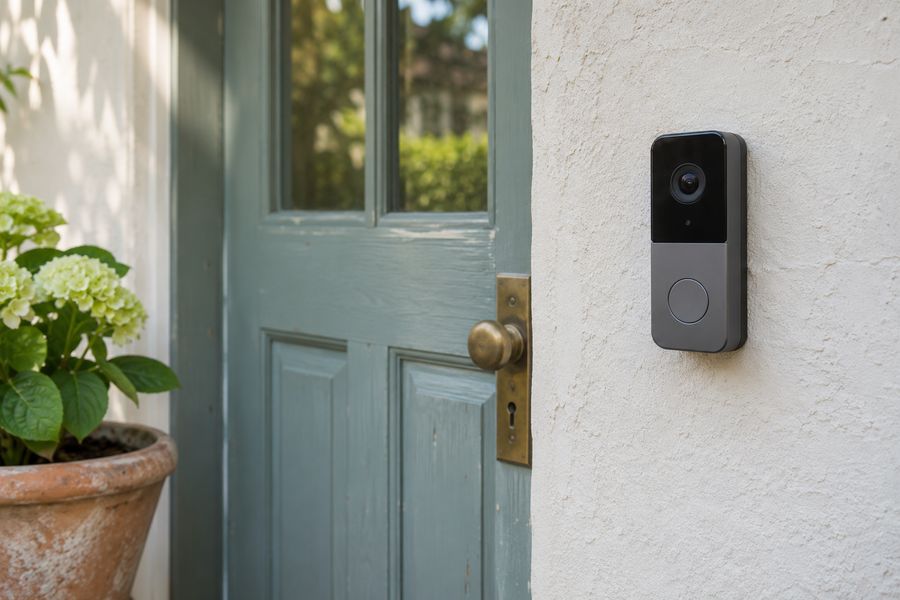
Our pick Eufy battery video doorbell with local storage
It saves clips to built-in storage, so recording does not depend on a paid cloud plan.
We may earn a commission if you buy through links in this guide. How we make money
Many video doorbells look cheap until the subscription appears. The camera works, then saved clips and person alerts sit behind a monthly plan. You can avoid that. The trick is to pick a doorbell that stores video on the device or on a small base station you own.
Before you buy, read the product page for the words "local storage", "microSD" or "HomeBase". Those point to models that record without a plan.
Why the subscription exists
Cloud storage costs money to run, so most brands put video history in a paid plan. Without one, a typical doorbell still rings your phone and shows a live view. It just does not keep clips you can review later. That is useful for answering the door and not much else if a package vanishes while you are out.
Local storage flips this. The video lives on a card or in a hub inside your home. You pay once for the hardware and keep the footage.
Three ways to avoid a fee
Built-in or base station storage
Eufy's doorbells are the best-known example: video saves to storage inside the doorbell or in a home base, with no required plan. Reolink's wired doorbells accept a microSD card. In both cases you buy a card or base once and you are done.
Wired doorbells with a network recorder
Some PoE (power over Ethernet) and wired models can send footage to a recorder in your house. This takes more setup, and it suits people who already have security cameras. It also removes the battery from the picture.
The free tier of a cloud brand
Ring, Google Nest and Arlo all make good doorbells, but their full features usually need a plan. Some have a free live view and basic motion alerts. If you are okay with live view only, this works. If you want clips, expect to subscribe.
Wired or battery
A wired doorbell uses your existing doorbell wiring. It never needs charging and tends to respond faster. A battery model installs with screws or an adhesive mount and needs recharging every few weeks or months, depending on how busy your front door is.
- Rent or no wiring: battery.
- Existing doorbell wires and a transformer: wired, if the voltage matches the spec.
- Busy street with lots of motion: wired, so battery life does not drop.
Features worth checking
| Feature | Why it matters |
|---|---|
| Field of view | A taller or squarer image shows packages on the step, not just faces. |
| Resolution | 1080p is fine; higher gives clearer faces at night. |
| Night vision | Infrared or color night modes make dark porches readable. |
| Chime | Some need a separate plug-in chime to ring inside the house. |
| Wi-Fi band | Many only use 2.4 GHz, so check your router. |
If your front door is far from the router, a stronger signal helps more than a better camera. Our guide to mesh Wi-Fi covers that.
Privacy and local rules
Point the camera at your own door and step, not the neighbor's. Some apartment buildings and HOAs have rules on cameras, so check before you drill. Read the brand's privacy settings too, and turn off anything you do not want shared.
Installing it yourself
Most doorbells install in under an hour with a screwdriver. Turn off power at the breaker before touching wired models. Mount the unit about 48 inches off the ground, and use the angled wedge in the box if your door frame sits flush, so the camera sees the walkway rather than the wall. Connect it to Wi-Fi from your phone, then test the motion zones so passing cars do not trigger constant alerts.
Rental homes are easier with a battery model and an adhesive or no-drill mount. Ask your landlord first, and keep the original bell button so you can put it back when you move out.
Quick answers
Will a doorbell with no plan still send alerts?
Yes, usually. Alerts to your phone for motion and rings are standard. What you give up in a cloud-only brand is saved clips.
How much storage do I need?
For a front door, a 32 GB or 64 GB card holds weeks of clips. Check the brand's maximum supported card size.
Can someone steal the footage if they steal the doorbell?
If clips live in the doorbell, yes. A base station kept indoors avoids that, which is one reason to prefer a model with a hub.
The bottom line
If you want clips without a bill, choose a doorbell with local storage and, ideally, an indoor base station. Wire it if you can. If you only care about answering the door, a cheaper live-view model from a cloud brand is fine.